If you’re designing professional business cards, start with high-quality paper designed for printers. This guide highlights five top options that balance durability, printability, and clean edge finishes. Best for small business owners, freelancers, and professionals who print cards at home or in the office, these selections cover inkjet, laser, and perforated formats for quick, on-demand networking. A quick summary table follows to compare the core details at a glance.
| Product | Size | Printer Type | Perforation / Edges | Quantity |
|---|---|---|---|---|
| Avery 28371 | 2″ x 3.5″ | Inkjet | Smooth edges | 100 |
| Avery 05371 | 2″ x 3.5″ | Laser | Smooth border | 250 |
| Avery 08371 | 2″ x 3.5″ | Inkjet | Smooth Edges | 250 |
| Litpoetic | 3.5″ x 2″ | Inkjet & Laser | Perforated | 250 sheets |
| Koogel | 2.2″ x 3.5″ | Inkjet & Laser | Unlined, single-side optional | 600 |
Avery Printable Business Cards with Sure Feed Technology (28371)

Best for reliable in-printer feeding and clean edges. This option uses Sure Feed Technology to minimize misfeeds and jams, helping ensure each card prints with precision. The white cardstock provides a solid canvas for customization and professional appearance.
Best for: small business owners and users who print frequently and need consistent output. Why selected: reliable feed and clean edge cuts support crisp, professional cards.
Caution: relies on printer compatibility with Sure Feed technology; verify your printer supports the feature for optimal results.
Thick Business Cards 500 (3.5″ x 2″) 250gsm (XXINMOH)

Best for a comprehensive on-the-go kit. This package includes 500 standard-size cards and perforated sheets on 8.5×11-inch paper for easy customization. The 250gsm cardstock offers a heavyweight feel suitable for lasting impressions.
Best for: professionals who network often and want a complete supply in one purchase. Why selected: bulk quantity plus printable perforated options for quick, personalized cards.
Caution: perforated sheets add a step in detaching cards; ensure your printer handles perforated sheets smoothly.
Avery Printable Business Cards with Sure Feed Technology (05371)
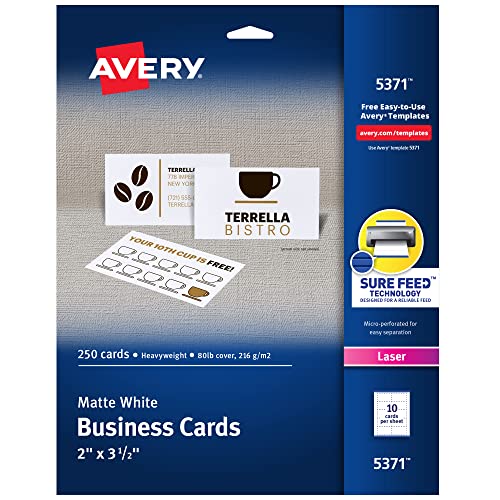
Best for templates and ready-to-print designs. These 250 blank cards come with Easy-to-use templates on the Avery site, alongside Sure Feed technology for steady printer performance and precise cuts that yield a tidy border around each card.
Best for: designers and entrepreneurs who want quick customization via built-in templates. Why selected: reliable feed plus design-friendly templates improve workflow.
Caution: ensure your printer supports the combination of templates and Sure Feed technology for smooth operation.
Avery Printable Business Cards with Sure Feed Technology (08371)

Best for premium print output with reliable edges. These cards feature white cardstock, Sure Feed technology to minimize misfeeds, and precise cuts for clean, professional edges on every card.
Best for: users who want strong edge quality and consistent printer performance. Why selected: combination of cardstock quality and edge precision supports a polished result.
Caution: ensure your printer is compatible with the Sure Feed system to maximize performance.
Thick Business Cards 200 (3.5″ x 2″) 250gsm (YIZIQSS)
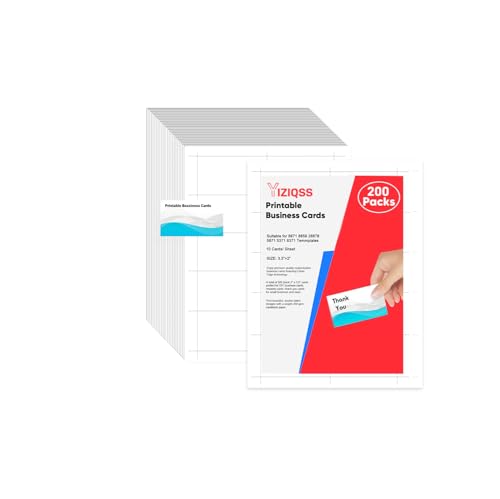
Best for compact sets with sturdy feel. This option includes 200 blank cards and 20 perforated sheets on 8.5×11-inch paper. The 250gsm cardstock offers a substantial, professional look.
Best for: professionals needing a durable, compact set for frequent interactions. Why selected: strong cardstock and perforation option for quick personalization.
Caution: perforated sheets require careful handling to avoid tearing during separation.
Koogel 600PCS White Blank Cards (2.2 x 3.5)

Best for high-volume projects and artsy or customized uses. The set includes 600 blank cards made from 350gsm extra-thick cardstock with smooth coating to resist ink bleed. Both sides offer space for designs or notes.
Best for: bulk needs and high-visual impact presentations. Why selected: the extra-thick stock provides a premium feel and versatile surface for various media.
Caution: very thick stock may require printer setup adjustments; confirm your printer can feed 350gsm cards reliably.
Buying Guide: Key Considerations For Quality Card Stock
- Printer compatibility: Verify whether cards are designed for inkjet, laser, or both. Printer feeders and Sure Feed technologies can affect alignment and jams.
- Paper weight and thickness: Cardstock ranges from around 80–350gsm. Heavier weights appear premium but may require printer tolerance checks.
- Edge and perforation: Smooth edges support clean separation. Perforated options enable quick snapping but may demand careful handling.
- Card size: Standard business cards are 3.5″ x 2″; smaller or nonstandard sizes may require custom templates or specific printer settings.
- Templates and design support: Some brands offer free templates to expedite design. Choose this if you value ready-made layouts.
- Bulk vs. single packs: For frequent networking, bulk packs reduce reordering frequency but may take more storage space.
Frequently Asked Questions
- What is Sure Feed technology? It’s a feature designed to improve printer feeding and reduce misalignment during printing.
- Can I use perforated cards in any printer? Perforated sheets work best with printers that handle card stock and have proper feed settings; check compatibility first.
- Which weight is best for a professional look? Typically 250gsm to 350gsm provides a premium feel while remaining printable on most home printers.
- Are these cards suitable for inkjet and laser printers? Some products support both; always confirm printer compatibility on the product page.
- Do these cards require special templates? Several brands offer free online templates to help design cards quickly.
- How many cards come in a typical pack? It varies by product; consider your printing frequency and storage when choosing a pack size.